
If your chiropractic clinic isn’t appearing on Google Maps, it’s a critical issue impacting your practice’s visibility and patient acquisition, as local search is paramount for healthcare businesses.
For any local business, especially a chiropractic clinic, showing up prominently on Google Maps is non-negotiable. Patients in need of chiropractic care often turn to their smartphones and desktop computers, searching for “chiropractor near me” or “back pain treatment your area”. If your clinic isn’t appearing in the Google Maps local pack, you’re essentially invisible to a significant portion of your potential patient base. This article will delve into the common reasons why your chiropractic clinic might be struggling to appear on Google Maps and provide actionable strategies to improve your local pack ranking.
Understanding the intricacies of Google’s local search algorithm is the first step. Google prioritizes three main factors for local rankings:
- Relevance: How well your business matches the user’s search query.
- Distance: How far each potential search result is from the location term used in a search (if any) or the searcher’s actual location.
- Prominence: How well-known a business is. This is based on information Google has about a business from across the web (like links, articles, and directories) and also includes your Google Business Profile information, reviews, and local SEO efforts.
When your chiropractic clinic isn’t showing up, it’s usually a breakdown in one or more of these areas. Let’s break down the specific issues and how to fix them.
Your Google Business Profile (GBP) is Unclaimed, Unverified, or Incomplete
A fundamental reason your chiropractor isn’t showing on maps is often directly related to the status and completeness of your Google Business Profile, which serves as your clinic’s digital storefront on Google.
Many clinic owners overlook the importance of claiming and thoroughly optimizing their Google Business Profile. Without a verified GBP, Google cannot confidently display your business information, and even if it does, it won’t give it the same weight as a fully optimized profile. This is the absolute bedrock of local SEO for any chiropractic practice. Think of it as your clinic’s digital front door for Google Maps. If it’s not properly set up, verified, and kept up-to-date, Google simply won’t know enough about your practice to show it to potential patients.
Here’s a checklist to ensure your GBP is in top shape:
- Claim and Verify Your Profile: If you haven’t already, navigate to business.google.com and search for your clinic. If it appears, claim it. If not, create a new profile. Verification typically involves receiving a postcard with a code at your physical address, a phone call, or an email. This step is non-negotiable.
- Complete All Fields: Fill out every single section of your GBP. This includes your business name, address, phone number (NAP), website, hours of operation, services offered, categories, and a detailed business description. Incomplete profiles send a signal to Google that your information might not be reliable or comprehensive.
- Accurate Categories: This is crucial for a chiropractor not showing on maps. Select the most specific primary category that describes your business (e.g., “Chiropractor”). Then, add all relevant secondary categories (e.g., “Physical therapy clinic,” “Sports medicine clinic,” “Pain management clinic”). Incorrect or too few categories can limit your visibility for relevant searches.
- Business Description: Write a compelling, keyword-rich description of your services. Mention your specialties, the conditions you treat, and what makes your clinic unique. Avoid keyword stuffing, but naturally integrate terms like “back pain relief,” “sciatica treatment,” or “posture correction.”
- Service Area: If you serve patients beyond your immediate physical location (e.g., you offer home visits or serve a wider geographic area), define your service areas. For most chiropractic clinics, your primary service area will be within a few miles of your physical address.
“An unverified or incomplete Google Business Profile is like having a beautiful clinic with no sign out front – potential patients drive right by without knowing you’re there.”
Regularly review your GBP for accuracy. Hours change, services evolve, and holiday schedules need updating. Google rewards active and well-maintained profiles with better visibility.
Inconsistent NAP (Name, Address, Phone Number) Across the Web
One of the most frequent culprits for a chiropractor not showing on maps is inconsistent NAP information across various online directories and your own website.
Google cross-references your Google Business Profile information with other online sources to verify its accuracy and build confidence in your business’s legitimacy. If your business name, address, or phone number (NAP) varies even slightly across different platforms – your website, Yelp, Healthgrades, Facebook, local chambers of commerce, and other industry-specific directories – it creates confusion for Google. This inconsistency can lead Google to distrust your information, resulting in lower rankings or even your clinic not appearing at all.
Consider the following example scenarios:
|
Platform |
Name |
Address |
Phone Number |
|---|---|---|---|
|
Google Business Profile |
Chiropractic |
123 Main St, Anytown, CA 90210 |
(555) 123-4567 |
|
Website Footer |
Chiro |
123 Main Street, Anytown, CA 90210 |
555-123-4567 |
|
Yelp Listing |
123 Main St., Anytown, CA 90210 |
(555) 123-4567 |
|
|
Facebook Page |
123 Main Street, Anytown, California 90210 |
(555) 123-4567 |
Even minor discrepancies like “Street” vs. “St.”, “Clinic” vs. “Chiro”, or different phone number formatting can hinder your local pack ranking. Google’s algorithm is precise, and these small variations can signal a lack of authority or accuracy.
Action Plan for NAP Consistency:
- Conduct a NAP Audit: Use a tool like Moz Local, Yext, or BrightLocal to scan for your business across hundreds of directories. Alternatively, perform manual searches on major platforms.
- Standardize Your NAP: Decide on one exact format for your business name, address, and phone number. Use this exact format everywhere. For example, “123 Main St, Suite 100, Anytown, CA 90210” should be consistent, not sometimes “Main Street” or “Ste 100.”
- Update All Listings: Systematically go through every directory, social media profile, and website where your business is listed and correct any inconsistencies. This can be time-consuming but is incredibly important for improving your chiropractor Google Maps presence.
- Build New, Consistent Citations: Actively seek out new, high-quality local and industry-specific directories (e.g., American Chiropractic Association directory, local chamber of commerce) and ensure your NAP is perfectly consistent from the outset.
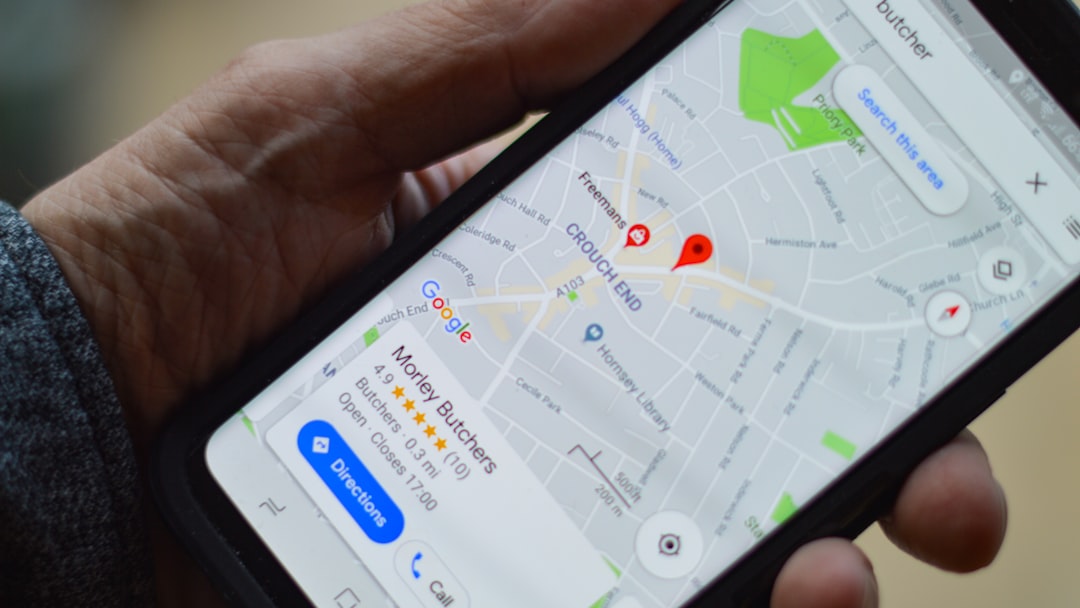
Lack of Reviews or Poor Review Management
Patient reviews are a significant trust signal for both potential patients and Google, directly influencing your local pack ranking and why your chiropractor isn’t showing on maps.
Google considers the quantity, quality, and recency of reviews when determining local search rankings. A clinic with many positive, recent reviews will almost always outrank a clinic with few or no reviews, even if other factors are equal. Reviews signal to Google that your business is legitimate, active, and provides a valuable service. Furthermore, patients heavily rely on reviews when choosing a healthcare provider. A strong review profile builds trust and encourages new patients to visit your clinic.
Consider these points regarding reviews:
- Quantity: More reviews generally mean more data for Google to assess your prominence. Aim for a steady stream of new reviews, not just a burst.
- Quality (Star Rating): A higher average star rating (e.g., 4.5 stars vs. 3.0 stars) directly impacts patient perception and Google’s confidence in your business.
- Recency: Recent reviews are more impactful than old ones. A clinic with 100 reviews from five years ago might be outranked by a clinic with 20 reviews from the past six months.
- Responsiveness: Responding to reviews, both positive and negative, shows that you are engaged with your patients and care about their experience. This also sends positive signals to Google.
Strategies for Review Management:
- Ask for Reviews: Don’t be shy! Politely ask satisfied patients to leave a review on your Google Business Profile. You can do this in person, via email follow-ups, or with small cards at your front desk. Make it easy for them by providing a direct link.
- Simplify the Process: Provide clear instructions. A QR code linking directly to your Google review page can be very effective.
- Respond to All Reviews: Thank patients for positive feedback. For negative reviews, respond professionally, acknowledge their concerns, and offer to resolve the issue offline. This demonstrates excellent customer service and transparency.
- Integrate Reviews into Your Website: Displaying positive reviews on your website can further build trust with potential patients and provides more relevant content for Google.
- Monitor Reviews: Regularly check your GBP and other platforms (Yelp, Facebook) for new reviews so you can respond promptly.
A proactive approach to gathering and managing reviews is one of the most powerful tools in your local SEO arsenal for improving your chiropractor Google Maps visibility.
Insufficient Local SEO Signals and Website Optimization
Beyond your Google Business Profile, the overall strength of your website and other local SEO signals play a crucial role in improving your local pack ranking.
Google doesn’t just look at your GBP; it also evaluates the relevance and authority of your website and other online mentions to determine your prominence. If your website isn’t optimized for local search, or if there’s a lack of other local signals pointing to your clinic, Google will have less reason to rank you highly. This is often an overlooked area when clinic owners wonder why their chiropractor isn’t showing on maps.
Key areas for improvement include:
- Website Optimization:
- Local Keywords: Ensure your website’s content, particularly your homepage and service pages, includes local keywords (e.g., “chiropractor your area,” “back pain relief your area,” “sports injury chiropractor your area”).
- NAP on Website: Your Name, Address, and Phone Number (NAP) should be prominently displayed on every page of your website, ideally in the header or footer, and consistently match your GBP.
- Location Pages: If you have multiple locations, create a dedicated, unique page for each location with specific NAP, hours, and local content.
- Mobile-Friendliness: Google prioritizes mobile-first indexing. Your website must be responsive and load quickly on mobile devices.
- Schema Markup: Implement local business schema markup on your website. This code helps search engines understand your business’s vital information (address, phone, hours, services) more effectively.
- Local Content Creation:
- Create blog posts or articles relevant to local health concerns or events. For example, “Managing seasonal allergies with chiropractic care in your area” or “Chiropractic tips for marathon runners in your area.”
- Highlight your community involvement, sponsorships, or local patient testimonials.
- Backlinks and Mentions:
- Earn high-quality backlinks from other local businesses, community organizations, or health-related websites. These act as “votes of confidence” for your website.
- Seek out mentions (citations) of your business on reputable local news sites, blogs, or community directories, even without a direct link.
A holistic approach that combines GBP optimization with robust website SEO and strong local signals will significantly boost your local pack ranking. For example, if you’re a chiropractor in Phoenix, Arizona, ensure your website explicitly mentions “Phoenix Chiropractor” and “Chiropractic care in Phoenix” in natural, helpful ways.
Geographic Proximity and Competitive Landscape
Even with perfect optimization, your physical location and the intensity of local competition are significant factors determining your chiropractor Google Maps visibility.
Google’s local algorithm heavily weighs the distance between the searcher and your business. If a potential patient is searching for a “chiropractor” from 10 miles away, and there are five other highly-rated clinics closer to them, those closer clinics will likely appear higher in the local pack. You cannot change your physical address easily, but understanding this factor helps set realistic expectations and informs other marketing strategies.
Understanding Geographic Proximity:
- Searcher’s Location: For “near me” searches, Google uses the searcher’s precise location. If the search includes a city name (e.g., “chiropractor Miami, Florida”), Google prioritizes businesses within or very close to that specified city.
- Service Area vs. Physical Address: While you can define a service area in your GBP, your physical address remains the primary anchor point for distance-based ranking.
Navigating the Competitive Landscape:
The number and quality of competing chiropractic clinics in your immediate vicinity also play a huge role. If you are in a densely populated area like Los Angeles, California, with dozens of well-established and optimized chiropractic clinics, it will naturally be harder to rank at the very top of the local pack compared to a smaller town with fewer competitors.
What to do about it:
- Niche Down: Can you specialize in something that fewer local chiropractors offer? (e.g., pediatric chiropractic, sports injury recovery, prenatal care). This can help you rank for more specific, less competitive long-tail keywords.
- Hyper-Local Content: Create content that speaks to very specific local needs or landmarks. “Chiropractic relief for golfers at ” might attract a specific, local audience.
- Superior Review Profile: In a competitive market, having a significantly higher number of positive reviews than your competitors can be a powerful differentiator.
- Enhanced GBP Features: Utilize every feature Google offers – posts, Q&A, booking links, photos, videos. The more comprehensive and engaging your GBP, the better.
- Paid Local Ads: If organic local pack ranking is extremely challenging due to competition or distance, consider running Google Local Service Ads or Google Ads campaigns specifically targeting local keywords. This can give you immediate visibility.
While you can’t move your clinic closer to every potential patient, you can optimize every other factor to maximize your chances within your geographic sphere of influence.

Technical SEO Issues and Penalties
Less common but equally impactful, underlying technical issues with your website or potential Google penalties can prevent your chiropractic clinic from appearing on Google Maps.
While local SEO primarily focuses on your Google Business Profile and local citations, your website’s overall health and authority still contribute to your Google Maps ranking. If your website has significant technical problems, or if it has been penalized by Google, it can indirectly harm your local visibility. This is a deeper dive into why your chiropractor isn’t showing on maps and often requires professional help.
Common Technical SEO Issues:
- Website Speed: A slow-loading website frustrates users and is penalized by Google. Use tools like Google PageSpeed Insights to identify and fix speed issues.
- Mobile-Friendliness: As mentioned, if your website isn’t responsive and easy to navigate on a smartphone, it will negatively impact your search rankings, including local.
- Crawlability & Indexability: Ensure Google’s bots can easily crawl and index all relevant pages of your website. Check your robots.txt file and sitemap.xml in Google Search Console.
- Broken Links & Errors: Too many broken internal or external links can signal a poorly maintained website. Regularly audit your site for 404 errors.
- Security (HTTPS): Your website should use HTTPS encryption. If it’s still HTTP, it’s a security risk and a ranking disadvantage.
- Duplicate Content: Having identical or near-identical content on multiple pages of your site or across other sites can confuse search engines and dilute your ranking potential.
Google Penalties:
In rare cases, a clinic might be subject to a Google penalty, which can severely impact visibility. Penalties are often triggered by:
- Black-Hat SEO Practices: Engaging in tactics like keyword stuffing, cloaking, buying links, or creating spammy content.
- Google Business Profile Violations: Creating multiple GBP listings for the same location, using keywords in your business name that aren’t part of your legal business name, or misleading information.
If you suspect a penalty, check your Google Search Console for manual action messages. Addressing these issues often requires a thorough SEO audit and potentially professional intervention to clean up your site and appeal to Google.
Next Steps to Grow Your Practice
Improving your chiropractic clinic’s visibility on Google Maps requires a systematic and ongoing effort. Start by auditing your Google Business Profile, ensuring every detail is accurate and complete. Prioritize NAP consistency across all online platforms, as this builds trust with Google. Implement a robust strategy for acquiring and managing patient reviews, as these are powerful social proof and ranking signals. Finally, don’t neglect your website’s local SEO, making sure it’s mobile-friendly, keyword-optimized, and provides valuable content for your local community. By focusing on these key areas, your chiropractor Google Maps presence will significantly improve, driving more patients to your door.
Frequently Asked Questions
How long does it take for changes to my Google Business Profile to show up on Google Maps?
Minor edits to your Google Business Profile, such as updating hours or adding photos, usually appear within a few minutes to a few hours. However, significant changes like a new address, category changes, or initial verification can take several days or even weeks to be fully processed and reflected in search results and local pack ranking.
Can I have multiple Google Business Profiles for one chiropractic clinic?
No, Google’s guidelines explicitly state that you should only have one Google Business Profile per physical business location. Creating multiple profiles for the same location can lead to suspension or removal of all listings. If you have multiple physical locations, each one should have its own unique, verified GBP.
What if my competitors are using fake reviews?
If you suspect a competitor is using fake reviews, you can report them directly to Google. Navigate to the review on their Google Business Profile, click the three-dot menu next to the review, and select “Report review.” While Google doesn’t always act immediately, consistent reporting of clear violations can lead to their removal. Focus on building your own authentic review profile, which is a more sustainable and ethical strategy.
Is it worth investing in local SEO services for my chiropractic clinic?
Absolutely. Given that a significant percentage of patients find local healthcare providers through Google Maps and local search, investing in professional local SEO services can provide a substantial return on investment. An experienced local SEO specialist can identify specific issues, implement best practices, and continuously monitor your online presence to ensure your clinic maximizes its visibility and patient acquisition opportunities.