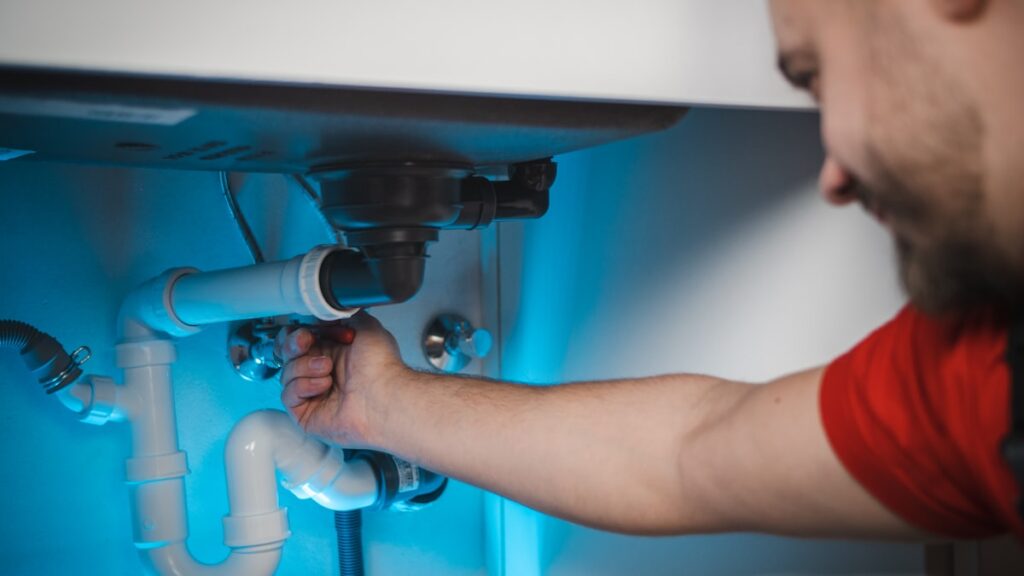
The Difference Between Regular Keywords and Emergency Keywords
Emergency keywords target users who need immediate service, leading to significantly higher conversion rates compared to standard planned work searches.
Most contractor websites are built around one type of search intent: planned work. “Kitchen remodeler Austin.” “Home addition quotes Denver.” These are valuable, but they’re competitive and they attract people who are shopping around, comparing prices, taking their time.
Emergency keywords are completely different. The person searching isn’t comparing three quotes. They need someone now. Conversion rates on emergency searches are significantly higher because the decision is already made – they just need to find someone available.
If your site isn’t targeting these terms specifically, you’re leaving high-intent, ready-to-call customers to whoever ranked for them instead.
What counts as an emergency keyword?
Emergency keywords usually contain urgency signals. Look for terms like:
- “Emergency [service] near me”
- “[Service] open now”
- “24 hour [service] [location]”
- “Same day [service]”
- “Urgent [service]”
- “[Problem] fix today”
Real examples: “emergency electrician Columbus,” “24 hour locksmith Phoenix,” “same day furnace repair Denver,” “burst pipe plumber open now.” These aren’t variations – they’re entirely separate keyword targets that need their own pages or at minimum their own optimised content sections.

Why Contractors Miss These Searches Entirely
Contractors often miss emergency searches because their websites lack dedicated content and proper signals for out-of-hours availability.
The most common reason is simple: the website was built once, the builder stuffed in a few generic service pages, and nobody’s touched the keyword strategy since. Generic pages like “Our Services” or “Plumbing in Dallas” don’t rank for emergency terms because they don’t signal emergency availability.
Google needs to understand that you’re available out of hours before it serves your site to someone searching at 2am. If your page says nothing about 24-hour availability, response times, or emergency callouts, Google won’t make that connection.
The “we cover emergencies” trap
A lot of contractors mention emergency services somewhere on their homepage – usually buried in a paragraph at the bottom. That’s not enough. A single mention doesn’t give Google the context it needs to match your page to emergency searches. You need dedicated content, dedicated pages, and proper on-page signals.
Think about it from Google’s perspective: if someone searches “emergency furnace repair at night,” it wants to serve the most relevant result. A page titled “Furnace Repair Services” that briefly mentions 24-hour availability will lose to a page specifically titled “Emergency Furnace Repair – 24 Hour Callout in [City]” every time.
Building Dedicated Emergency Service Pages
Creating standalone, optimized pages for each emergency service is the most effective way to capture urgent search traffic.
The single most effective thing you can do is create a standalone page for each emergency service you offer. Not a section. Not a paragraph. A full page, properly optimised, with its own URL.
What to include on an emergency service page
Your emergency pages need to work harder than your standard service pages. Here’s what they should contain:
- The keyword in your H1 – “Emergency Plumber in Columbus – Available 24/7”
- Your response time – “We aim to be with you within 60 minutes”
- Your availability in plain text – “Available 7 days a week, including holidays”
- A prominent phone number above the fold – make it click-to-call on mobile
- What you’ll do when you arrive – this builds trust and reduces anxiety
- Common emergency scenarios you handle – burst pipes, HVAC breakdowns, power outages, locked out
- Local area coverage – list the areas and ZIP codes you cover
- Reviews from emergency callout customers – specifically these, not just general reviews
A good emergency page isn’t just for SEO – it converts. Someone in a panic needs to land on a page that immediately reassures them you’re available, you’re nearby, and you’re going to fix their problem fast.
URL structure and page naming
Your URL matters. Use the keyword in the slug. Something like:
/emergency-plumber-columbus/24-hour-electrician-charlotte/emergency-hvac-repair-austin
Avoid generic slugs like /emergency-services or /after-hours. They don’t tell Google what service or location you’re targeting. Be specific.
The Local SEO Layer You Can’t Ignore
Local SEO, especially your Google Business Profile, is crucial for emergency services as these searches are almost always location-specific.
Emergency keywords are almost always local searches. Nobody searches “emergency plumber” and wants a result from three counties away. This means your local SEO signals need to be solid alongside your on-page content.
Google Business Profile for emergency services
Your Google Business Profile is often the first thing someone sees in an emergency – especially if they’re searching on mobile and clicking the Maps results. Make sure:
- Your hours accurately reflect when you’re available (set “24 hours” if that’s true)
- Your primary category is correct – “Plumber,” “Electrician,” “Locksmith,” not something vague
- You’ve added services that include your emergency offerings
- Your phone number is current and click-to-call works
- You have a steady flow of recent reviews – a profile with reviews from three years ago looks inactive
If someone searches “emergency locksmith near me” at midnight, the Maps pack is going to get tapped before any organic result. You need to be in that pack. Local citation consistency, review volume, and proximity all influence this.
Schema markup for emergency services
Adding LocalBusiness schema to your emergency pages helps Google understand your opening hours and availability. If you’re genuinely available 24/7, your schema should reflect that. Use the openingHoursSpecification property to indicate round-the-clock availability.
This won’t magically push you to position one, but it gives Google cleaner data about your business – and that matters when it’s deciding who to serve in a time-sensitive search.
Long-Tail Emergency Keywords That Are Easier to Rank For
Targeting specific, longer long-tail emergency keywords can be more effective for driving calls than competing for broad, highly competitive terms.
Broad terms like “emergency plumber Dallas” are competitive. You’ll be up against national directories, established local businesses, and well-funded websites. That doesn’t mean you ignore them – but it does mean you should also target longer, more specific terms where the competition is lower.
Long-tail emergency keywords look like:
- “Emergency furnace repair no heat [city]”
- “Pipe burst under floor who to call [city]”
- “Circuit breaker tripped won’t reset electrician [city]”
- “Locked out house spare key [city]”
- “Roof leak emergency fix tonight [city]”
These longer queries have lower monthly search volumes, but the intent is incredibly specific. Someone searching “circuit breaker tripped won’t reset electrician Nashville” isn’t browsing – they’re calling the first result they find. Ranking for ten of these long-tail terms can drive more actual calls than struggling to rank for one broad term.
Using blog content to target informational emergency searches
Not every emergency search is “send someone now.” Some are “what do I do first.” Searches like “what to do if pipe bursts” or “furnace making loud noise at night” are informational – but they still represent someone with an urgent problem who is very likely to call a tradesperson.
A well-written blog post that explains what to do in an emergency, includes a clear CTA, and prominently displays your phone number can convert these informational searchers into callers. A roofing company in Tampa, for example, could write a post titled “Roof Damaged in a Storm? Here’s What to Do First (And Who to Call in Tampa).” That’s a targeted, high-intent piece of content that serves both SEO and conversion.
On-Page Signals That Tell Google You’re Available Now
Optimizing on-page elements like title tags, page speed, and click-to-call buttons reinforces immediate availability for emergency searches.
Your title tag and meta description
Your title tag should include the emergency keyword and ideally a trust signal. For example: “Emergency Electrician Atlanta | 24/7 Callout – 60 Min Response.” The meta description is your pitch – include your availability, response time, and a call to action. Something like: “Electrical emergency in Atlanta? We’re available 24 hours a day, 7 days a week. Call now for a fast response – we’ll be with you within the hour.”
Most contractors have title tags like “Services | [Business Name].” That’s a wasted opportunity.
Page speed on mobile
Emergency searches happen on mobile, often in stressful conditions. If your page takes five seconds to load, you’ve lost that caller. Run your site through Google’s PageSpeed Insights and fix the obvious issues – oversized images, render-blocking scripts, slow hosting. A fast, simple page that loads in under two seconds will outperform a beautiful slow site every time.
Click-to-call placement
Your phone number should be impossible to miss. Top of the page, in the header on mobile, and repeated in the body content. A sticky header with a click-to-call button that follows users as they scroll is one of the highest-impact changes you can make to an emergency service page. Don’t make someone hunt for how to contact you when they’re panicking.
What to Do Next
An audit of existing rankings and a structured approach to creating and optimizing emergency service content are the next steps.
Start with an audit of what you’re currently ranking for. Use Google Search Console to see which queries are bringing people to your site. If you don’t see any emergency or urgency-based terms in that list, you have a gap to fill.
- Identify your three most common emergency jobs – the things people call you in a panic about.
- Check whether you have a dedicated page for each – not just a mention, a full page with the emergency keyword in the title, H1, URL, and body content.
- If those pages don’t exist, build them – use the page structure outlined above.
- Update your Google Business Profile – set accurate hours, add emergency services, make sure the phone number is correct.
- Find five long-tail emergency queries related to your trade and location – write a page or blog post targeting each one.
- Test your site on mobile – load it, try to find the phone number, time how long it takes. If you’re frustrated, your customers are too.
The 2am caller is going to find someone. Make sure it’s you.
FAQ: Emergency Keyword Optimization
What is the main difference between regular and emergency keywords?
Regular keywords target planned work, attracting users who are comparing prices and taking their time. Emergency keywords target immediate needs, leading to higher conversion rates as users need service now, not later.
Why do contractors often miss emergency searches?
Many contractor websites are built with generic service pages that don’t explicitly signal 24-hour or emergency availability, causing Google to overlook them for urgent searches.
What is the most effective strategy for ranking for emergency keywords?
The most effective strategy is to create dedicated, optimized pages for each emergency service, including specific keywords in the H1, URL, and body, along with clear availability and contact information.